Power Banks with Built-In Cables: Pros and Cons
April 14, 2026
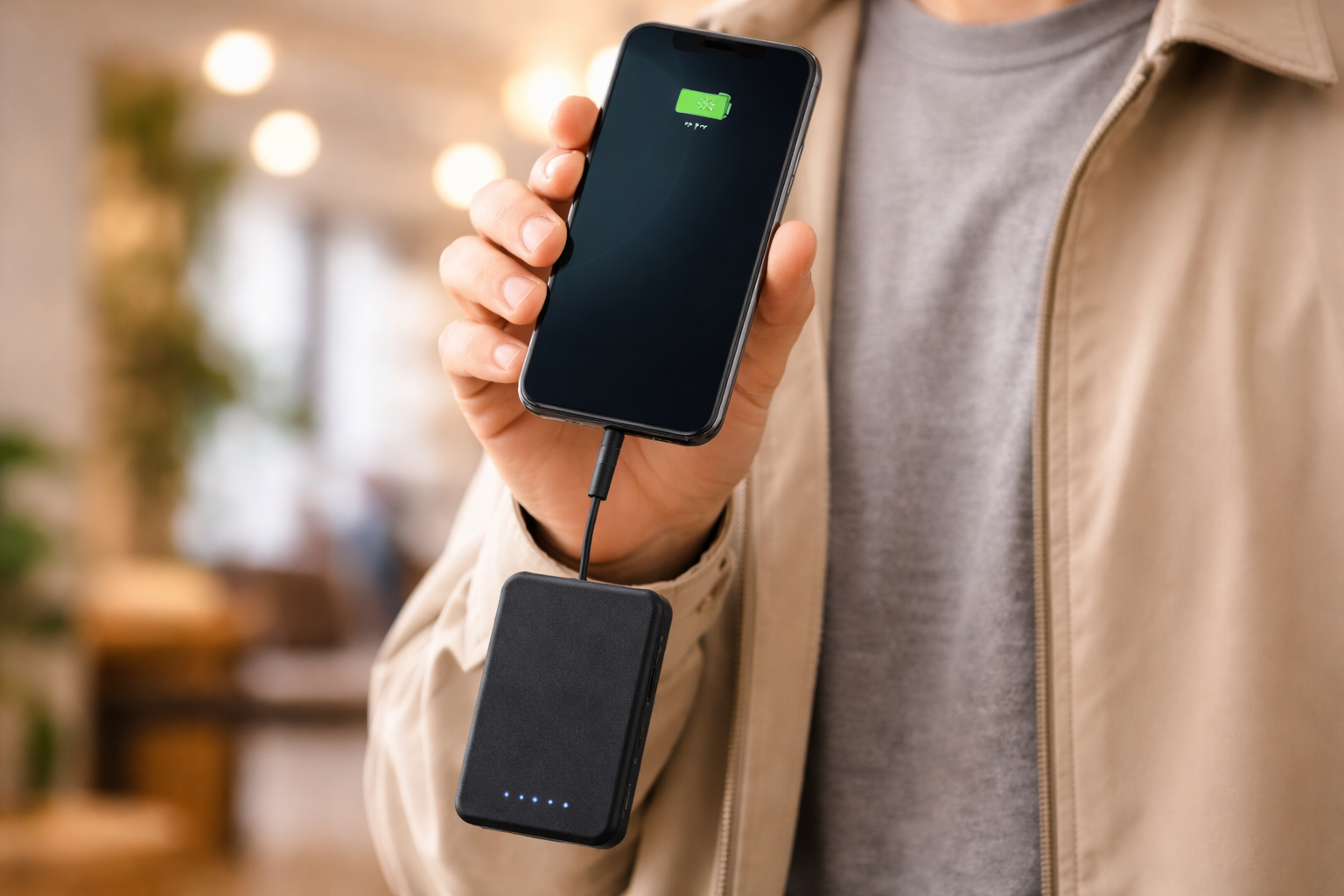
A power bank with a built-in cable integrates one or more charging cables directly into the unit, eliminating the need to carry a separate cable. These models range from compact 5,000 mAh chargers with a single Lightning tail to 20,000 mAh multi-port units with USB-C, Micro-USB, and Lightning connectors built in. Whether the convenience justifies the tradeoffs depends on how and where the power bank gets used.
Quick Answer
- Built-in cables remove the need to carry a separate charging cable
- The integrated cable cannot be replaced if it breaks or wears out
- Maximum charging speed is typically capped at 22.5W–30W on built-in cables, versus 100W+ on detachable USB-C ports
- Best suited for light daily carry; less practical for heavy or multi-device use
How Built-In Cable Power Banks Work
Instead of a standard USB-A or USB-C output port, built-in cable models route power through a fixed connector — most commonly USB-C, Lightning, or Micro-USB — attached directly to the housing. The cable retracts, wraps around the body, or folds into a slot depending on the design.
Some models combine a built-in cable with one or two standard ports, giving users both options in a single unit. Others rely entirely on the integrated connector with no external port at all.
Connector Types Available
| Connector | Compatible Devices | Common Max Output |
|---|---|---|
| USB-C | Android, iPad Pro/Air, laptops (limited) | 22.5W–30W |
| Lightning | iPhone (older models), AirPods | 12W–18W |
| Micro-USB | Older Android, accessories | 10W |
| Multi-head | Mixed (C + Lightning + Micro) | 15W–22.5W |
Lightning connector models are becoming less common as iPhone 15 and newer use USB-C. Multi-head cables — with two or three connector tips on one integrated cable — appeal to users who carry devices with different ports.
Advantages of Built-In Cables
Nothing to Forget or Lose
The most practical benefit is that the cable is always present. With a standard power bank, forgetting the cable renders the unit useless. Built-in cable designs remove this failure point entirely, which matters most for everyday carry in bags, pockets, or travel kits.
Reduced Carry Weight and Bulk
A quality USB-C cable weighs 20–40 grams. For users who prioritize minimal carry, eliminating that separate item has real value — particularly when pairing a compact 5,000–10,000 mAh unit with a phone for daily commutes.
Faster Setup
Connecting a device takes one step instead of two. For brief top-ups throughout the day, this minor friction reduction adds up.
Disadvantages of Built-In Cables
The Cable Cannot Be Replaced
This is the most significant limitation. USB cables are the component most likely to fail in any charging setup — connectors fray, internal wires break, and connector pins wear down. With a detachable cable, replacement costs under €5. With a built-in cable, a damaged connector means replacing the entire power bank.
The cable’s lifespan also directly limits the power bank’s usable life. A 20,000 mAh cell may last 500+ charge cycles, but the integrated cable may fail in 200–300 connections depending on build quality.
Lower Maximum Charging Speed
Most built-in cable power banks top out at 22.5W–30W output. By comparison, detachable USB-C ports on premium power banks support 65W, 100W, or even 140W Power Delivery — sufficient to charge laptops at a useful rate.
For smartphones, 22.5W–30W is adequate for most use cases. For laptops, tablets, or users who want maximum charging speed, a standard USB-C port with a high-quality cable is more capable.
Fixed Connector Is a Compatibility Risk
A Lightning built-in cable became obsolete for new iPhones when Apple switched to USB-C with the iPhone 15 in 2023. Users who buy a device with a fixed connector accept the risk that future devices in their ecosystem may use a different standard.
A USB-C built-in cable has better long-term compatibility, but multi-device households with mixed connector needs (USB-C + Lightning) may find a single fixed cable too limiting.
Less Versatile for Multi-Device Charging
Most built-in cable models offer one integrated connector. Charging two devices simultaneously either requires a second port (if the unit has one) or waiting. Users who regularly charge multiple devices benefit more from a standard multi-port power bank.
When a Built-In Cable Makes Sense
| Use Case | Built-In Cable | Detachable Cable |
|---|---|---|
| Daily commute, one phone | ✓ Good fit | Works fine |
| Travel with multiple devices | ✗ Limiting | ✓ Better |
| Laptop charging | ✗ Underpowered | ✓ Required |
| Emergency backup in bag | ✓ Good fit | Works fine |
| Long-term heavy use | ✗ Cable wear risk | ✓ Better |
| Minimalist carry | ✓ Best fit | Requires extra item |
Built-in cable designs work best as everyday phone chargers for users with a single primary device and a consistent connector standard. They are a poor choice for laptop users, frequent travelers with multiple devices, or anyone who charges daily and expects 2–3 years of consistent use.
Charging Speed: What to Expect
Built-in USB-C cables on current models typically support:
- USB-C with Power Delivery (PD): 18W–30W output
- USB-C with proprietary protocols (e.g., Huawei SuperCharge): up to 40W in some cases
- Lightning: 12W–18W, limited by the Lightning standard itself
- Multi-head cables: usually 15W–22.5W shared across tips
For context, a 30W output charges a modern smartphone from 0% to 50% in approximately 30 minutes. The same output provides meaningful but slow charging to a 13” laptop — around 25–35% per hour depending on the laptop’s power draw.
Common Questions About Built-In Cable Power Banks
Can I still use external cables with a built-in cable power bank?
Most built-in cable models include at least one standard USB-A or USB-C port alongside the integrated cable. If the unit has no external port, you cannot use an external cable with it.
What happens if the built-in cable breaks?
If the power bank has no other output port, it becomes unusable for charging devices. Some manufacturers offer repair services, but this is uncommon. In most cases, a broken built-in cable means replacing the unit.
Are built-in cable power banks allowed on airplanes?
Yes, subject to the same rules as standard power banks. The built-in cable does not affect airline regulations, which are based on the battery’s Wh rating. Units under 100 Wh are permitted in carry-on luggage on most airlines.
Do built-in cables support fast charging?
Depends on the model. USB-C built-in cables on current power banks commonly support 18W–30W. This qualifies as fast charging for smartphones. It is not sufficient for laptop fast charging, which typically requires 45W–100W.
Is USB-C better than Lightning for a built-in cable?
USB-C offers faster charging speeds, wider device compatibility, and is the current industry standard. Lightning is limited to older Apple devices. For a new purchase, USB-C built-in cables have better long-term compatibility.
Summary
Built-in cable power banks trade long-term durability and maximum output for the convenience of a self-contained unit. The cable-always-present design suits minimalist daily use well. The inability to replace a worn connector, combined with lower maximum wattage compared to high-power detachable USB-C setups, makes them unsuitable for laptop users, heavy daily chargers, or multi-device use cases.
Need help choosing?
Take the quiz