Can a Power Bank Charge a Laptop?
February 24, 2026
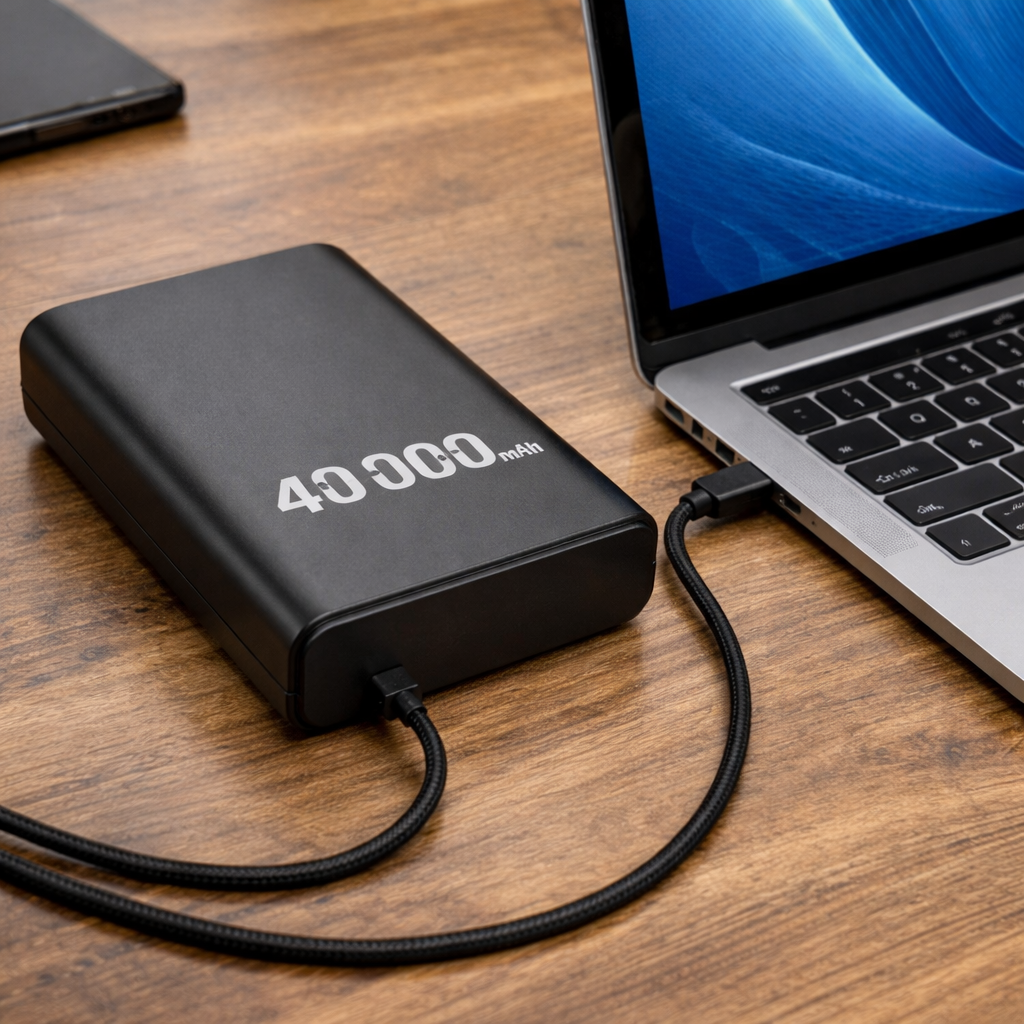
Yes — but only if the power bank supports USB-C Power Delivery (PD) and outputs enough wattage for your specific laptop. A standard 10W or 18W power bank designed for phones won’t work. Most laptops require between 45W and 100W to charge, which means you need a power bank with USB-C PD output of at least 45W, ideally 65W or higher. The capacity matters too: a 20,000mAh power bank holds roughly 74Wh of energy, enough for about one full charge of a MacBook Air or a significant top-up of a larger laptop.
This article covers exactly what specs to look for, how to calculate whether a specific power bank will work with your laptop, which laptops are compatible, and the common mistakes that lead people to buy the wrong power bank.
Quick Answer
- A power bank can charge a laptop if it has USB-C PD output at 45W or higher
- Most modern ultrabooks and business laptops (MacBook Air, Dell XPS, ThinkPad) support USB-C PD charging
- A 20,000mAh / 74Wh power bank provides roughly one full charge for a 50Wh ultrabook
- Gaming laptops generally cannot be charged effectively by a power bank — they draw 150W–300W
- FAA airline limit: 100Wh (≈27,000mAh at 3.7V) maximum for carry-on
Why Most Power Banks Can’t Charge Laptops
The core issue is wattage. Smartphones charge at 10W to 30W. Laptops need 30W to 100W — sometimes more. Older USB-A power banks top out at about 12W, which isn’t even close to what a laptop requires. At best, a low-wattage power bank might slow down how fast your laptop’s battery drains. It won’t actually charge it.
USB Power Delivery (PD) solves this. PD is a charging protocol that runs over USB-C and allows power banks and laptops to negotiate the correct voltage and wattage automatically. When you plug a PD power bank into a PD-compatible laptop, the two devices communicate and agree on the fastest safe charging speed.
There are different versions of USB PD that determine maximum output:
- PD 2.0: up to 60W — suitable for lightweight ultrabooks
- PD 3.0: up to 100W — covers most work laptops
- PD 3.1: up to 240W — handles high-performance devices
Both the power bank and the laptop must support the same PD version for optimal charging. This means a 65W PD 3.0 power bank works perfectly for a MacBook Air (30W) but may struggle with a MacBook Pro 16” that wants 140W.
How to Check if Your Laptop Is Compatible
Step 1: Check your laptop’s charger
Flip over the AC adapter that came with your laptop. Look for the output line. It will show something like:
- Output: 20V / 3.25A → 20 × 3.25 = 65W
- Output: 20V / 2.25A → 20 × 2.25 = 45W
- Output: 20V / 5A → 20 × 5 = 100W
The formula: Watts = Volts × Amps
Your power bank’s USB-C PD output must meet or exceed this number.
Step 2: Confirm USB-C charging support
Your laptop must have a USB-C port that accepts charging. Not all USB-C ports on laptops support power input — some are data-only. Check your laptop’s manual or look for a small battery/charging icon next to the port.
Common laptop power requirements
| Laptop | Charger Wattage | Battery Capacity | USB-C PD Charging |
|---|---|---|---|
| MacBook Air (M3/M4) | 30–35W | ~53Wh | Yes |
| MacBook Pro 14” (M4) | 70W | ~73Wh | Yes |
| MacBook Pro 16” (M4 Pro/Max) | 140W | ~100Wh | Yes |
| Dell XPS 13 | 45–65W | ~52–55Wh | Yes |
| Dell XPS 15 | 65–130W | ~86Wh | Yes |
| Lenovo ThinkPad X1 Carbon | 45–65W | ~57Wh | Yes |
| HP Spectre x360 | 65W | ~66Wh | Yes |
| ASUS Zenbook 14 | 65W | ~75Wh | Yes |
| Microsoft Surface Laptop | 65W | ~54Wh | Yes (Gen 5+) |
| Gaming laptops (most) | 150–300W | 80–100Wh | Limited/No |
Gaming laptops are the exception. Most gaming laptops use proprietary barrel-jack chargers at 150W to 300W+. Even when they have a USB-C port that supports PD, it typically handles only light tasks — web browsing, document editing — not gaming or heavy workloads.
How Much Charge Will You Actually Get?
This is where people get confused. Power bank capacity is listed in mAh (milliampere-hours), but for laptops, Wh (watt-hours) is the number that matters. Here’s why: mAh doesn’t account for voltage differences.
The conversion formula
Wh = mAh × Voltage / 1000
Power bank cells run at 3.7V internally. So:
- 10,000mAh × 3.7V / 1000 = 37Wh
- 20,000mAh × 3.7V / 1000 = 74Wh
- 26,000mAh × 3.7V / 1000 = 96.2Wh
Energy conversion losses
You won’t get 100% of that energy into your laptop. Voltage conversion from 3.7V (internal cells) up to 20V (laptop charging voltage) loses 10–15% as heat. Real-world efficiency is typically 85–90%.
So a 20,000mAh (74Wh) power bank delivers roughly 63–67Wh of usable energy.
Practical charge calculations
| Power Bank | Usable Energy (~85%) | MacBook Air (53Wh) | Dell XPS 13 (55Wh) | MacBook Pro 14” (73Wh) |
|---|---|---|---|---|
| 10,000mAh (37Wh) | ~31Wh | ~0.6 charges | ~0.5 charges | ~0.4 charges |
| 20,000mAh (74Wh) | ~63Wh | ~1.2 charges | ~1.1 charges | ~0.9 charges |
| 26,000mAh (96Wh) | ~82Wh | ~1.5 charges | ~1.5 charges | ~1.1 charges |
A 20,000mAh power bank gives most ultrabooks roughly one full recharge. For larger laptops like a MacBook Pro 16” (100Wh battery), expect about 60–65% of a charge.
The Cable Matters More Than You Think
A standard USB-C cable is typically rated for 60W or less. If your power bank outputs 100W but you’re using a cheap cable, you’re bottlenecked at 60W — or worse, charging may fail entirely.
For laptop charging above 60W, use a cable with an E-Marker chip. E-Marker cables communicate power limits between the power bank and laptop, enabling safe delivery of 100W or more. Look for cables explicitly rated at 100W or 240W on the packaging.
Airline Rules for Laptop Power Banks
The FAA limits carry-on power banks to up to 100Wh without approval, or 160Wh with airline approval. Power banks above 160Wh are not allowed on passenger aircraft.
Here’s what that means in mAh (at 3.7V internal voltage):
- 100Wh ≈ 27,000mAh — carry-on, no approval needed
- 160Wh ≈ 43,000mAh — carry-on, requires airline approval
- Above 160Wh — prohibited
Most laptop-grade power banks (20,000–26,800mAh) fall comfortably under the 100Wh limit. Always check the Wh rating printed on the power bank itself — airlines look at Wh, not mAh.
Power banks of any size must be carried on. They cannot go in checked luggage. For a deeper dive into TSA and international airline rules, I wrote a full guide to flying with a power bank.
Common Mistakes
Buying a high-capacity power bank with low wattage. A 30,000mAh power bank that maxes out at 18W output won’t charge any laptop. Wattage determines compatibility; capacity determines how much charge you get. Both matter, but wattage comes first.
Using the wrong port. Many power banks have multiple ports with different wattage ratings. The USB-C PD port might deliver 65W, but the USB-A port tops out at 18W. Always use the USB-C PD port for laptop charging.
Assuming all USB-C ports on laptops accept charging. Some laptops have USB-C ports for data and display only. Verify your specific port supports power input before buying a power bank for laptop charging.
Ignoring conversion losses. The mAh number on the box is the raw cell capacity at 3.7V. After voltage conversion to 20V for your laptop, expect 10–15% less usable energy. A 20,000mAh power bank delivers closer to 63Wh, not the full 74Wh.
Using a non-E-Marker cable for high-wattage charging. Standard USB-C cables cap out around 60W. For 65W+ laptop charging, you need an E-Marker cable rated for 100W or higher.
What Specs to Look For
The minimum requirements for a laptop-capable power bank:
- USB-C Power Delivery output (not just USB-C — it must support PD protocol)
- 65W output or higher (45W is the absolute minimum; 65W covers most laptops)
- 20,000mAh / 74Wh capacity or higher for at least one full charge of an ultrabook
- Under 100Wh if you plan to fly with it
- PPS (Programmable Power Supply) is a bonus — it provides finer voltage adjustment for better efficiency with some devices
If you’re unsure about capacity numbers, I break down what mAh actually means and how it translates to real-world charges.
Frequently Asked Questions
Can I use any USB-C power bank to charge my laptop?
No. The power bank must support USB-C Power Delivery (PD) protocol and output enough wattage to match your laptop’s requirements. A USB-C power bank without PD support may only deliver 5V/3A (15W), which is not enough for any laptop.
Will a power bank damage my laptop battery?
No. USB-C PD is an intelligent protocol — the laptop and power bank negotiate voltage and amperage. Your laptop will never draw more power than its charging circuit allows. Once the battery is full, charging stops automatically.
Can I use my laptop while charging it from a power bank?
Yes, but the laptop will draw more power, which means the power bank drains faster. If your laptop draws 45W under active use and your power bank delivers 65W, you have a 20W surplus for charging. If the power bank only delivers 45W, the battery level may hold steady without gaining charge.
Can I charge a gaming laptop with a power bank?
In most cases, not effectively. Gaming laptops typically require 150W to 300W, far beyond what portable power banks deliver. Some gaming laptops have USB-C PD ports that accept up to 100W, but this only supports light tasks like web browsing — not gaming.
What happens if my power bank’s wattage is lower than my laptop needs?
The laptop either charges very slowly, maintains its current battery level without gaining charge, or doesn’t charge at all. It won’t cause any damage — the devices simply negotiate the best possible power delivery.
How long does it take to charge a laptop from a power bank?
It depends on the power bank’s output and the laptop’s battery size. A 65W power bank charging a MacBook Air (53Wh) from 0% takes approximately 1 to 1.5 hours. A 45W power bank takes roughly 1.5 to 2 hours for the same laptop.
Summary
A power bank can charge a laptop, but only with the right specs: USB-C Power Delivery at 45W minimum (65W recommended), at least 20,000mAh capacity, and an E-Marker cable for higher wattages. Most modern ultrabooks and business laptops from Apple, Dell, Lenovo, HP, and ASUS support USB-C PD charging. Gaming laptops are generally incompatible for meaningful portable charging. Always check your laptop’s charger wattage first, then match or exceed it with your power bank’s PD output.
Need help choosing?
Take the quiz